Search
Archives
- August 2015 (1)
- September 2014 (1)
- June 2014 (2)
- January 2014 (1)
- September 2012 (1)
- July 2012 (1)
- April 2012 (1)
- January 2012 (2)
- June 2011 (2)
- November 2010 (1)
- October 2010 (1)
- May 2010 (2)
- April 2010 (1)
- December 2009 (1)
- November 2009 (1)
- August 2009 (1)
- June 2009 (1)
- April 2009 (1)
- January 2009 (5)
- December 2008 (1)
- November 2008 (1)
- August 2008 (3)
- July 2008 (3)
- June 2008 (1)
- February 2008 (2)
- January 2008 (1)
- November 2007 (2)
- September 2007 (1)
- July 2007 (1)
- May 2007 (2)
Categories
Meta
Category Archive: Tips
Subcategories: No categories
OVH Server Monitoring & Firewall
Ovh Use a perl script on their server to monitor system health. Its installed by default in their images, alternatively installed manually (instructions here).
To allow their monitoring in and out of the firewall you need to open some ports for them (important if you only allow specific traffic in or out through the firewall). An iptables configuration follows.
#!/bin/bash /sbin/iptables -A INPUT -i eth0 -p tcp --dport 22 --source cache.ovh.net -j ACCEPT /sbin/iptables -A INPUT -i eth0 -p icmp --source proxy.ovh.net -j ACCEPT /sbin/iptables -A INPUT -i eth0 -p icmp --source proxy.p19.ovh.net -j ACCEPT /sbin/iptables -A INPUT -i eth0 -p icmp --source proxy.rbx.ovh.net -j ACCEPT /sbin/iptables -A INPUT -i eth0 -p icmp --source proxy.rbx2.ovh.net -j ACCEPT /sbin/iptables -A INPUT -i eth0 -p icmp --source ping.ovh.net -j ACCEPT /sbin/iptables -A INPUT -i eth0 -p icmp --source <>.250 -j ACCEPT # IP monitoring system for RTM /sbin/iptables -A INPUT -i eth0 -p icmp --source < >.251 -j ACCEPT # IP monitoring system for SLA /sbin/iptables -A OUTPUT -o eth0 -p udp --destination rtm-collector.ovh.net --dport 6100:6200 -j ACCEPT
If you use CSF, replace INPUT with ALLOWIN and OUPUT with ALLOWOUT. The above code can go in /etc/csf/csfpost.sh to get run everytime CSF reloads the firewall rules.
Ubuntu Two-Factor Login (public key + Google Authenticator)
The Google authenticator app adds an easy to use true two factor login (rather than just an extra password, I’m looking at you online banking). It is time limited and each code is valid one for 30 seconds, however this can be changed.
There are other guides out there which describe the setup but these follow the assumption that you will be using passwords to login rather than public keys.
This method is tested for Ubuntu 14.04.1 but will likely work for any distro that has a recent release of openssh (v6.6+). The following commands assume you are logged in as root, if not prefix with sudo.
First step is to install the authenticator.
aptitude install libpam-google-authenticator
Next, setup the authenticator for your login or root.
$ /usr/bin/google-authenticator

Do you want authentication tokens to be time-based (y/n) y
https://www.google.com/chart?chs=200x200&chld=M|0&cht=qr&chl=otpauth://totp/...

[QR CODE]

Your new secret key is: D3WF27FKWZA5TAO3 (not real :P)
Your verification code is 123456
Your emergency scratch codes are:
 12345678
 12345678
 12345678
 12345678
 12345678

Do you want me to update your "/home/sam/.google_authenticator" file (y/n) y

Do you want to disallow multiple uses of the same authentication
token? This restricts you to one login about every 30s, but it increases
your chances to notice or even prevent man-in-the-middle attacks (y/n) y

By default, tokens are good for 30 seconds and in order to compensate for
possible time-skew between the client and the server, we allow an extra
token before and after the current time. If you experience problems with poor
time synchronization, you can increase the window from its default
size of 1:30min to about 4min. Do you want to do so (y/n) n

If the computer that you are logging into isnt hardened against brute-force
login attempts, you can enable rate-limiting for the authentication module.
By default, this limits attackers to no more than 3 login attempts every 30s.
Do you want to enable rate-limiting (y/n) y
You’ll need to either scan the provided QR code via the authenticator app or follow the provided url.
Now you are enrolled in two-step authentication, congrats.
Next is to update PAM to accept Google Authenticator tokens. Update /etc/pam.d/sshd to include the follow at the top of the file (above @include common-auth).
#Google Authenticator
auth sufficient pam_google_authenticator.so
Sufficient is used rather than required here because required would prompt for the password after the code is entered which is not what we want as public keys are being used.
The final step is to setup the ssh server to accept public keys and allow keyboard interaction. Open /etc/ssh/sshd_config and make the following changes. But take a backup first.
# Add this if not present
PubkeyAuthentication yes
# This allows sshd to ask for the verification code
# after the public key is accepted
AuthenticationMethods publickey,keyboard-interactive

# Change the following to yes, it is no by default
ChallengeResponseAuthentication yes
# Also disable password logins
PasswordAuthentication no
# This should be present, but add if not present
UsePAM yes
Now restart the ssh server.
service ssh restart
Important: Don’t close your current session until you know the login is working correctly, as you may get locked out.
Time to test, open a new ssh connection to your box, you should now be greeted like this:
Using username "root".
Authenticating with public key "my-public-key" from agent
Further authentication required
Using keyboard-interactive authentication.
Verification code:
If this fails, you can restore the backup you made of the sshd config (you did make one?), remove the authenticator from the pam config. and restart ssh.
Google Authenticator Project: https://code.google.com/p/google-authenticator/
Authenticator App: Play Store | Apple App Store | Windows Phone
PHP: Dpi of a png image
I recently needed to determine the DPI of a set of PNG files (so that I could convert the size to points), with the exception of imagemagick there is no way to do this.
So here is a pure-php method of extracting the DPI from a PNG file, it searches for the pHYs chunk (which may or may not exist).
function read_png_dpi($source)
{
  $fh = fopen($source, 'rb');
  if (!$fh)
    return false;

  $dpi = false;

  $buf = array();

  $x = 0;
  $y = 0;
  $units = 0;

  while(!feof($fh)) {
    array_push($buf, ord(fread($fh, 1)));
    if (count($buf) > 13)
      array_shift($buf);
    if (count($buf) < 13)
      continue;
    if ($buf[0] == ord('p') &&
        $buf[1] == ord('H') &&
        $buf[2] == ord('Y') &&
        $buf[3] == ord('s'))
    {
      $x = ($buf[4] << 24) + ($buf[5] << 16) + ($buf[6] << 8) + $buf[7];
      $y = ($buf[8] << 24) + ($buf[9] << 16) + ($buf[10] << 8) + $buf[11];
      $units = $buf[12];
      break;
    }
  }

  fclose($fh);

  if ($x == $y)
    $dpi = $x;

  if ($dpi != false && $units == 1) //meters
    $dpi = round($dpi * 0.0254);

  return $dpi;
}
Htaccess Builder
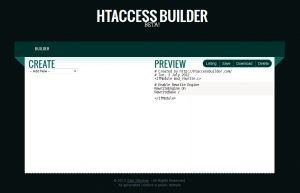
Here is a new tool for creating those often frustrating .htaccess files. It has the catchy name of Htaccess Builder and has been created by yours truly.
It is still in beta (like all great web 2.0 things) and I am looking for input to improve and expand it.
At the time of writing you can (not an exhaustive list):
- Mass redirect urls
- Redirect domains
- Map urls to an index file (for fancy/pretty urls)
It has a Uservoice page at https://htaccess.uservoice.com for any and all input, so please let me know what you think and what’s missing that you would like to see.
Easy php output compression
Below is what I regard as a reliable method of doing gzip output compression.
One thing that normally breaks gzip compression is something printing/echoing before the ob_start (usually the result of an error, debug output, errant space somewhere etc…), this is where the ob_get_length and ob_flush come in.
The problem is that headers_sent is not a reliable way to tell if any thing has been output because it may still be in the output buffer, so if we flush it before hand problem solved.
 0)
   @ob_flush();

if (!headers_sent() && @ob_start("ob_gzhandler"))
{
   doPage();
   ob_end_flush();
   //Probably a good idea to exit here as more output would break it
   exit;
}
else
{
   doPage();
}
lighttpd, php and clean urls
Here’s a situation, You have php running on a lighttpd server via fastcgi and you want clean urls (ie. /post/123/postname).
The typical way to-do this with lighttpd is to set the error-handler to your script.
$HTTP["host"] == "my.com" {
    server.document-root = "/var/www/my.com"
    server.error-handler-404 = "/index.php"
}
We use an error-handler here rather than rewriting the url as with apache because there’s no way to detect if the url is actually a file (ie. your css/js files).
Problem here is that this will break query strings for anything other than the root url (query strings are what’s after the ?). ie. when accessing /post/123/postname/?confirm=true the confirm will not appear in the $_GET or $_REQUEST arrays while /?confirm=true will.
So how do we fix this? The method I’ve used is to manually parse the query string and put its values into the get and request arrays, as below.
function fix_query_string()
{
    $url = "http://".$_SERVER['HTTP_HOST'].$_SERVER['REQUEST_URI'];
    $query = parse_url($url,PHP_URL_QUERY);
    if ($query == False || empty($query))
        return;
    $_SERVER['QUERY_STRING'] = $query;
    parse_str($query,$query);
    foreach($query as $key=>$value)
    {
        $_GET[$key] = $_REQUEST[$key] = $value;
    }
}
if (stripos($_SERVER['SERVER_SOFTWARE'], 'lighttpd') !== false)
    fix_query_string();
Hope this helps!
Maximizing a print preview dialog in c#
Here is a way to get a print preview dialog (or perhaps any resizeable dialog) to be maximized when opened.
The dialog may be cast to a Form allowing WindowState to be set.
For example:
PrintPreviewDialog dlg = new PrintPreviewDialog();
dlg.Document = doc;
((Form)dlg).WindowState = FormWindowState.Maximized;
dlg.ShowDialog();
Detecting drive insertion and removal in C#
Here is some C# code to detect when a logical volume (e.g. USB Memory Stick) is inserted or removed via the WM_DEVICECHANGE message with WndProc.
However this doesn’t tell you what has been inserted/removed, you will have to poll the drives manually to find out.
If you need that you will have to register to receive events from windows which involves P/Invoking RegisterDeviceNotification (See Drive Detector at Code Project).
[...]
using System.Runtime.InteropServices;
using System.Security.Permissions;

public class MyForm : Form
{
        const int WM_DEVICECHANGE = 0x0219;
        const int DBT_DEVICEARRIVAL = 0x8000; // system detected a new device
        const int DBT_DEVICEREMOVECOMPLETE = 0x8004; //device was removed
        const int DBT_DEVNODES_CHANGED = 0x0007; //device changed
        const int DBT_DEVTYP_VOLUME = 0x00000002; // logical volume

        [SecurityPermission(SecurityAction.LinkDemand, Flags = SecurityPermissionFlag.UnmanagedCode)]
        protected override void WndProc(ref Message m)
        {
            if (m.Msg == WM_DEVICECHANGE
                && m.WParam.ToInt32() == DBT_DEVICEARRIVAL
                || m.WParam.ToInt32() == DBT_DEVICEREMOVECOMPLETE
                || m.WParam.ToInt32() == DBT_DEVNODES_CHANGED))
            {
                if (m.WParam.ToInt32() != DBT_DEVNODES_CHANGED)
                {
                    int devType = Marshal.ReadInt32(m.LParam, 4);
                    if (devType == DBT_DEVTYP_VOLUME)
                    {
                        //Poll drives
                    }
                }
                else
                {
                    //Poll drives
                }
            }

            base.WndProc(ref m);
        }
}
Converting Videos for the Creative Zen
I have a Creative Zen, its a very nice little mp3/video player, and while it plays xVid/DivX/WMV its a bit picky about what it will play.
So ive created this script to convert videos to a format it will play (320×240, xVid, with auto black bars to maintiain aspect ratio & 128KB ABR MP3 audio).
Its a Bash script using Mplayer / Mencoder.
Files
Making better use of mod_deflate
Output compression using Gzip and Deflate is a common feature of modern webservers. Webpages can be compressed by the server and then decompressed by the client seamlessly.
By default (at least on debian/ubuntu) Apache has a module installed and enabled called mod_deflate. While great, here is the default configuration:
AddOutputFilterByType DEFLATE text/html text/plain text/xml
Now at a glance this is fine, But modern webpages consist of more than just html, we have CSS, Javascript, RSS and even JSON, all of which can benefit from compression but aren’t enabled by default.
Here’s a modified config file that will compress these files:
AddOutputFilterByType DEFLATE text/html text/plain text/xml application/javascript text/css application/rss+xml application/json
This config is usually located at /etc/apache2/mods-enabled/deflate.conf.
With this done jQuery (minified) goes down from 54KB to just 16KB of data send to the client :D